* PC 사양 및 우분투 정보
- i9-12900
- Geforce RTX 3080 Ti
- Ubuntu 20.04
* 아래 항목을 설치
- nvidia graphic driver
- cuda
- cudnn
- pytorch
0. Version Check
- 설치를 마친 다음 버전을 확인하는 것이 목적
* Cuda 11,6
nvcc -V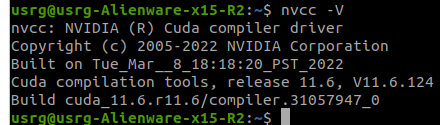
* Graphic Driver 510
nvidia-smi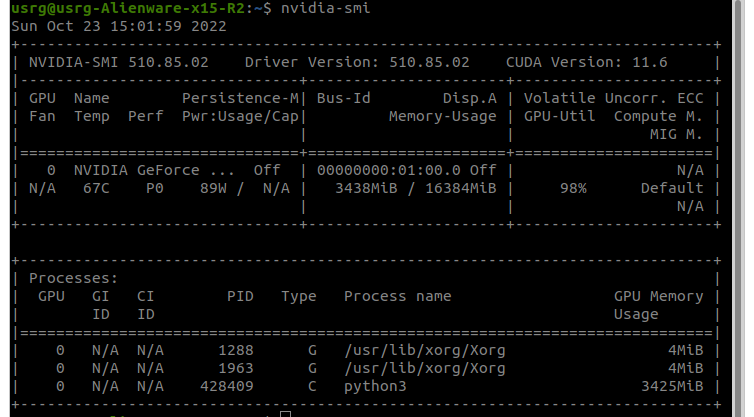
* cudnn 8.4.1
cat /usr/local/cuda/include/cudnn_version.h | grep CUDNN_MAJOR -A 2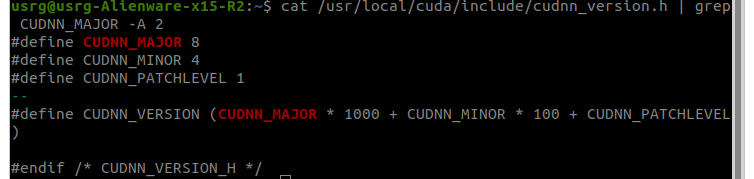
* pytorch 1.12.1+cu113
python3
# now we are in python3
import torch
print(torch.__version__)
print(torch.cuda.get_device_name(0))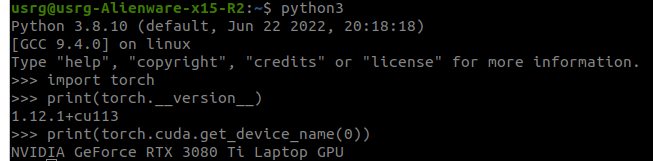
https://driz2le.tistory.com/270
pytorch GPU check
일반적인 경우 아래 세 개 command로 pytorch에서 GPU를 사용가능한지 확인이 가능하다. import torch torch.cuda.is_available() torch.cuda.get_device_name(0) torch.cuda.device_count() 각각의 command를 설..
driz2le.tistory.com
1. graphic driver 설치
sudo apt update
sudo apt-get install nvidia-driver-510
2. cuda 설치
* 설치 사이트
https://developer.nvidia.com/cuda-toolkit-archive
CUDA Toolkit Archive
Previous releases of the CUDA Toolkit, GPU Computing SDK, documentation and developer drivers can be found using the links below. Please select the release you want from the list below, and be sure to check www.nvidia.com/drivers for more recent production
developer.nvidia.com
linux - x86_64 - ubuntu - 20.04 - runtime(local)
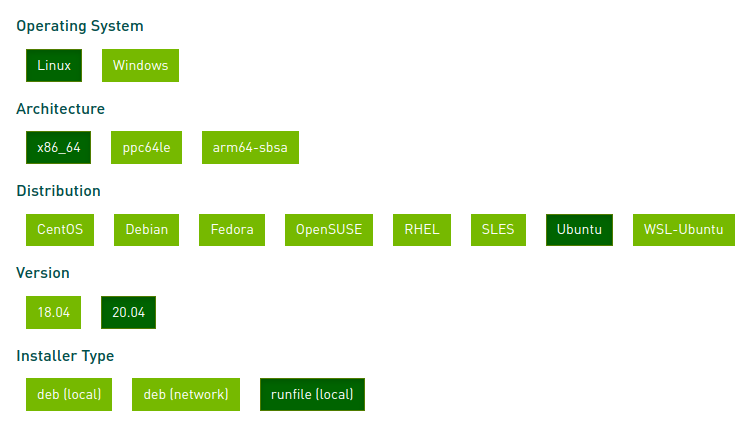
# this could be different based on your desired cuda install version
# I recommend you to go to the upper site and follow instructions there.
wget https://developer.download.nvidia.com/compute/cuda/11.6.2/local_installers/cuda_11.6.2_510.47.03_linux.run
sudo sh cuda_11.6.2_510.47.03_linux.run
중요 : cuda 설치할 때 driver는 이미 설치했으므로 선택하지 말 것!
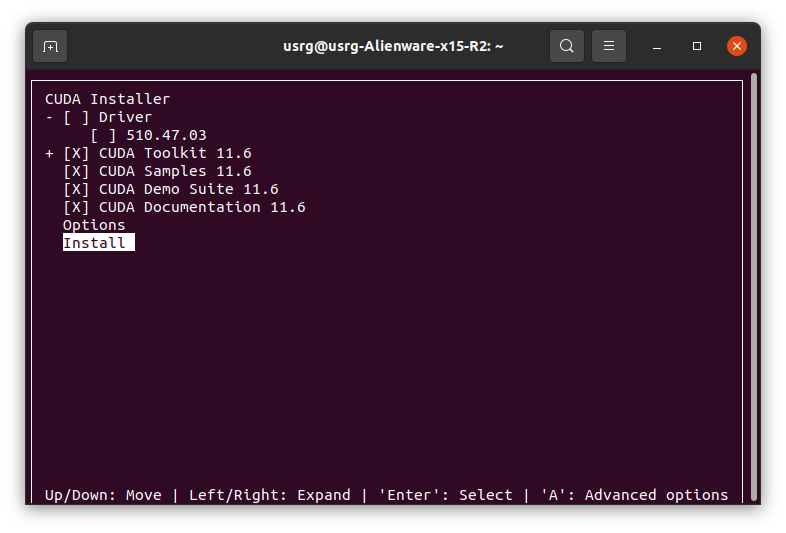
이후 bashrc에 cuda Path 명시
아래 내용을 bashrc에 추가할 것!
# gedit ~/.bashrc
export PATH="/usr/local/cuda-11.6/bin:$PATH"
export LD_LIBRARY_PATH="/usr/local/cuda-11.6/lib64:$LD_LIBRARY_PATH"
3. cudnn 설치
* 설치 사이트
https://developer.nvidia.com/rdp/cudnn-archive
cuDNN Archive
Download releases from the GPU-accelerated primitive library for deep neural networks.
developer.nvidia.com
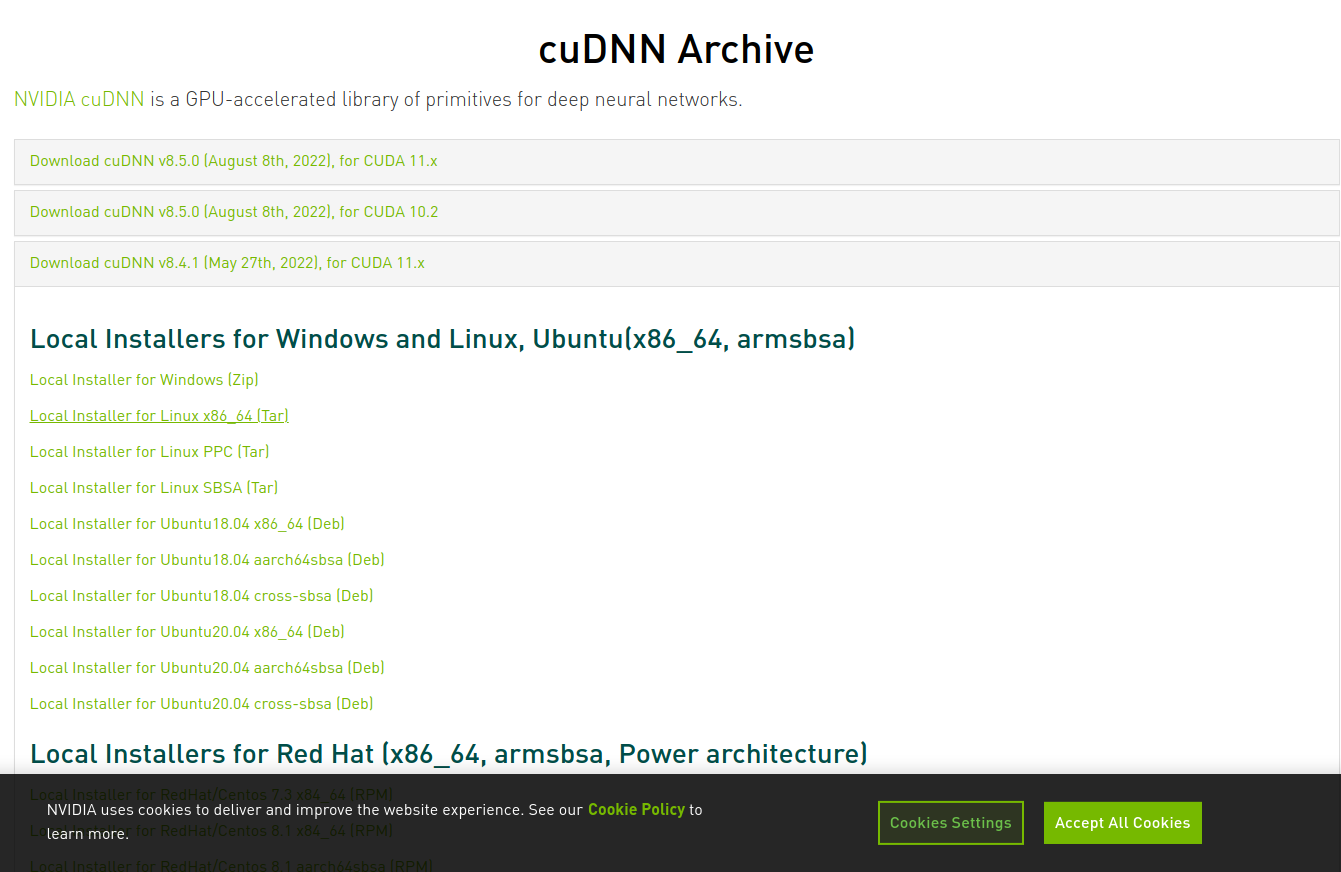
Local installer for Linux_x84_64 [Tar] 선택 후 다운로드
tar xvf cudnn-linux-x86_64-8.4.1.50_cuda11.6-archive.tar.xz
cd cudnn-linux-x86_64-8.4.1.50_cuda11.6-archive
현재 cuda가 설치된 디렉터리 안 include 폴더에 cnn 파일을 복사-붙여넣기
나같은경우에는 cuda 11.6 설치되어 있고, 해당하는 경로는 /usr/local/cuda-11.6/
혹시나 cuda 설치 버전이 다른 경우에는 /usr/local에 들어가서 확인 가능
다음 명령어를 실행해서 복사-붙여넣기
# current folder is cudnn
sudo cp include/cudnn* /usr/local/cuda-11.6/include
sudo cp lib/libcudnn* /usr/local/cuda-11.6/lib64/
sudo chmod a+r /usr/local/cuda-11.6/lib64/libcudnn*
* debug
*error
The following signatures couldn't be verified because the public key is not available: NO_PUBKEY A4B469963BF863CC
*sol
https://eehoeskrap.tistory.com/454
sudo apt-get update 시 NO_PUBKEY 에러나는 문제
W: An error occurred during the signature verification. The repository is not updated and the previous index files will be used. GPG error: https://nvidia.github.io/nvidia-container-runtime/ubuntu16..
eehoeskrap.tistory.com
4. 파이토치 설치
- 파이썬 버전은 3.8 이상이라고 가정하고 설치
sudo apt install python3.8
4.1. pip 사용 위해 기본적으로 필요한 것들 설치
sudo apt-get install python3.8-dev
sudo apt-get install cmake

sudo apt update
sudo apt install python3-pip
4.2 pip를 통해 파이토치에 필요한 것들 설치
pip install scikit-build cmake
마지막으로 파이토치 설치
pip install torch torchvision torchaudio --extra-index-url https://download.pytorch.org/whl/cu113위 명령어는 아래 링크에서 자신의 세팅을 확인한 다음 맞는 명령어로 바꾸면 됨
https://pytorch.org/get-started/locally/
PyTorch
An open source machine learning framework that accelerates the path from research prototyping to production deployment.
pytorch.org
Problem with the CMake installation, aborting build. CMake executable is cmake
I have the above error while running pip install cmake on alpine linux (WSL). Full error: /home/user# pip install cmake Collecting cmake Using cached cmake-3.18.4.post1.tar.gz (28 kB) Installing
stackoverflow.com
[프로그래밍] “ModuleNotFoundError: No module named 'skbuild'”
#skbuild 오늘은 주식도 부동산도 아닌 그냥 프로그래밍 관련 이야기 입니다. 나중에 똑같은 일을 경험할 ...
blog.naver.com
끝.
'Ubuntu' 카테고리의 다른 글
| [Ubuntu] 레포지토리 지우기 (0) | 2022.10.23 |
|---|---|
| [Ubuntu] ubuntu 18.04에 Graphic Driver, CUDA, cudnn 설치 (0) | 2022.10.23 |
| [Ubuntu] find 명령을 활용하여 폴더 내 모든 파일 touch 하기 (0) | 2022.10.05 |
| [Ubuntu] VSCode 설치 (0) | 2022.09.19 |
| [우분투] 외장 SSD 연결했을 때 읽기 전용으로 설정되는 문제(Read-only file system) (0) | 2022.09.15 |

